How to Add a WhatsApp Chat Button to WooCommerce
By Flying Star Technologies. Published 31 October 2026.
A WhatsApp button lets buyers ask a question without leaving the product page. This guide sets one up on WooCommerce with a free plugin, in about five minutes, with the product already written into the message.
Install WooCommerce and the plugin
Install and activate WooCommerce first. Then upload Askdesk Chat for WooCommerce under Plugins, Add New, and activate it. The plugin needs WordPress 6.3 or newer and PHP 7.4 or newer.
Type your WhatsApp number
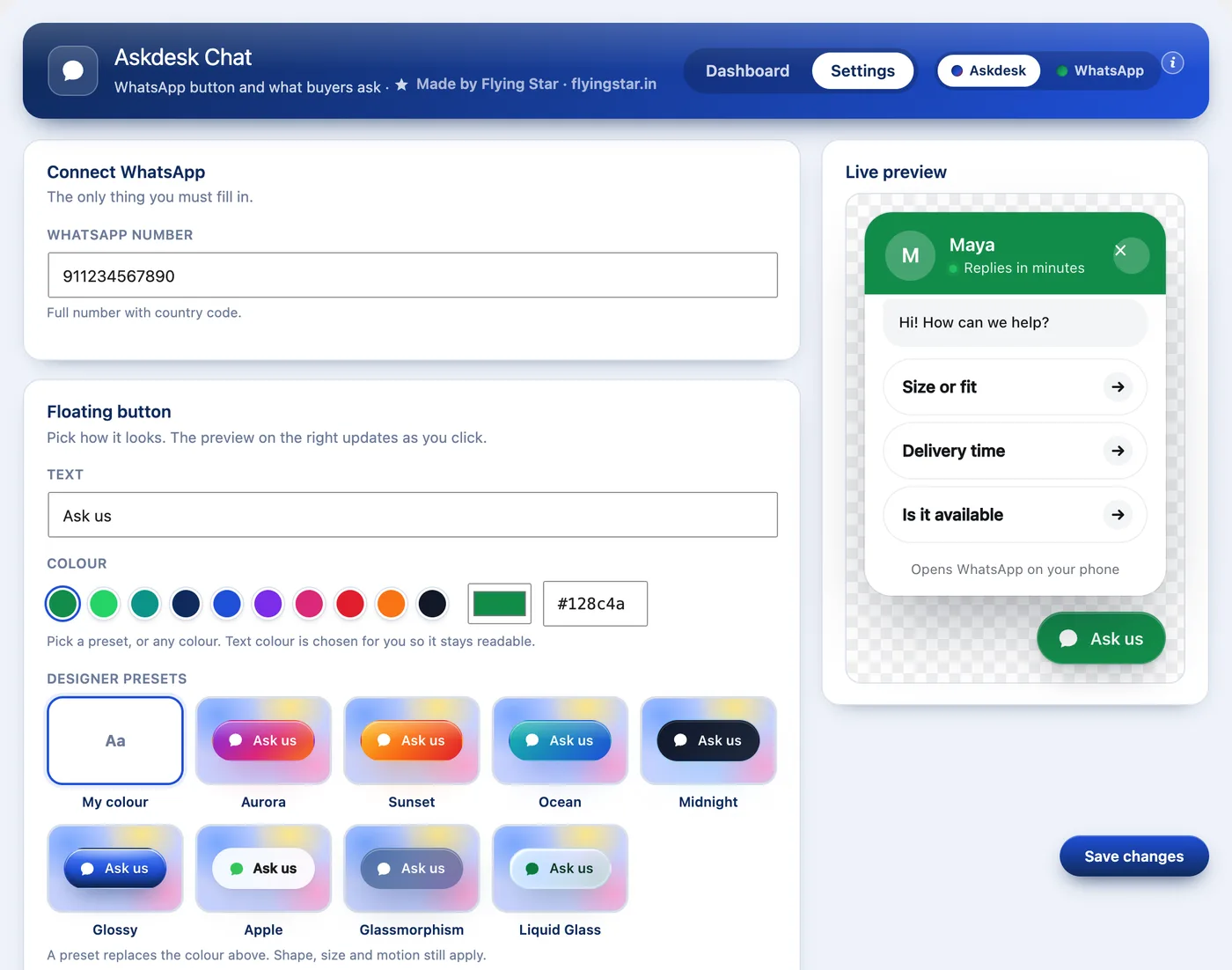
Open the Askdesk menu in the admin sidebar. The only field you must fill in is the WhatsApp number. Type it with the country code and no plus sign or spaces, for example 911234567890. A WhatsApp Business number works the same as a personal one.
Pick how the button looks
Choose a colour, the button text, the side of the screen, the size and the motion. The preview on the right updates as you click. On phones you can show only the icon so the button stays small.
Choose the questions buyers can tap
Buyers pick a question first, so your first message is never just "hi". You can set different questions for product pages, the cart, order pages and everywhere else. Rename any question, or empty a box to remove it. With no questions left, the button opens WhatsApp straight away.
Turn on the product page button
The plugin can add a quiet Ask button under Add to cart. It stays minimal and still on purpose, so it never competes with the buy button. You can also place a button anywhere with the [askdesk] shortcode.
Set your business hours
Add your opening hours and a message for when you are away. The note uses your site time zone, and a blank day means closed.
Test it on a real phone
Open a product page, tap the button, pick a question, and check that WhatsApp opens with the product name, price, SKU and link already in the message. Nothing is sent until the buyer presses send.
Will it work with my theme?
The button is added through standard WordPress and WooCommerce hooks, so it does not depend on one theme. The floating button works on any page. The Ask button under Add to cart uses the standard WooCommerce product page. If your theme moves that area, use the shortcode where you want the button.
Does a WhatsApp button slow the store?
It should not. The free plugin loads one small script with defer and no jQuery, stores one settings entry and one counter entry, and creates no custom tables. Every visitor of a URL gets the same HTML, so page caches stay valid.
Do I need the WhatsApp Business API?
No. The button opens the WhatsApp or WhatsApp Business app already installed on the buyer's phone, with a message ready to send. You answer in the app you already use. The plugin never sends a message and never sees the conversation.
Want the button without the setup?
Askdesk Chat for WooCommerce is a free plugin that puts the product, price and link in the first message, and counts what buyers ask.
See the pluginQuestions
Is the WhatsApp chat button free for WooCommerce?
Yes. Askdesk Chat for WooCommerce is a free plugin. It includes the button, chat window, pre-filled messages, business hours, colours and tap counting. An optional Pro add-on adds insights and extras.
Does it work with block checkout and HPOS?
Yes. It works with High Performance Order Storage and with block checkout.
Can I hide the button on checkout?
Yes. There is a Hide on checkout setting, so the button does not distract at the last step.